Uptech Studio Agile Development
Kanban
We are big believers in Agile methodologies. However, we don't prescribe to strict Scrum. Instead we use Kanban as we feel it better aligns with the fluidity and agileness necessary with the earlier stage companies we work with.
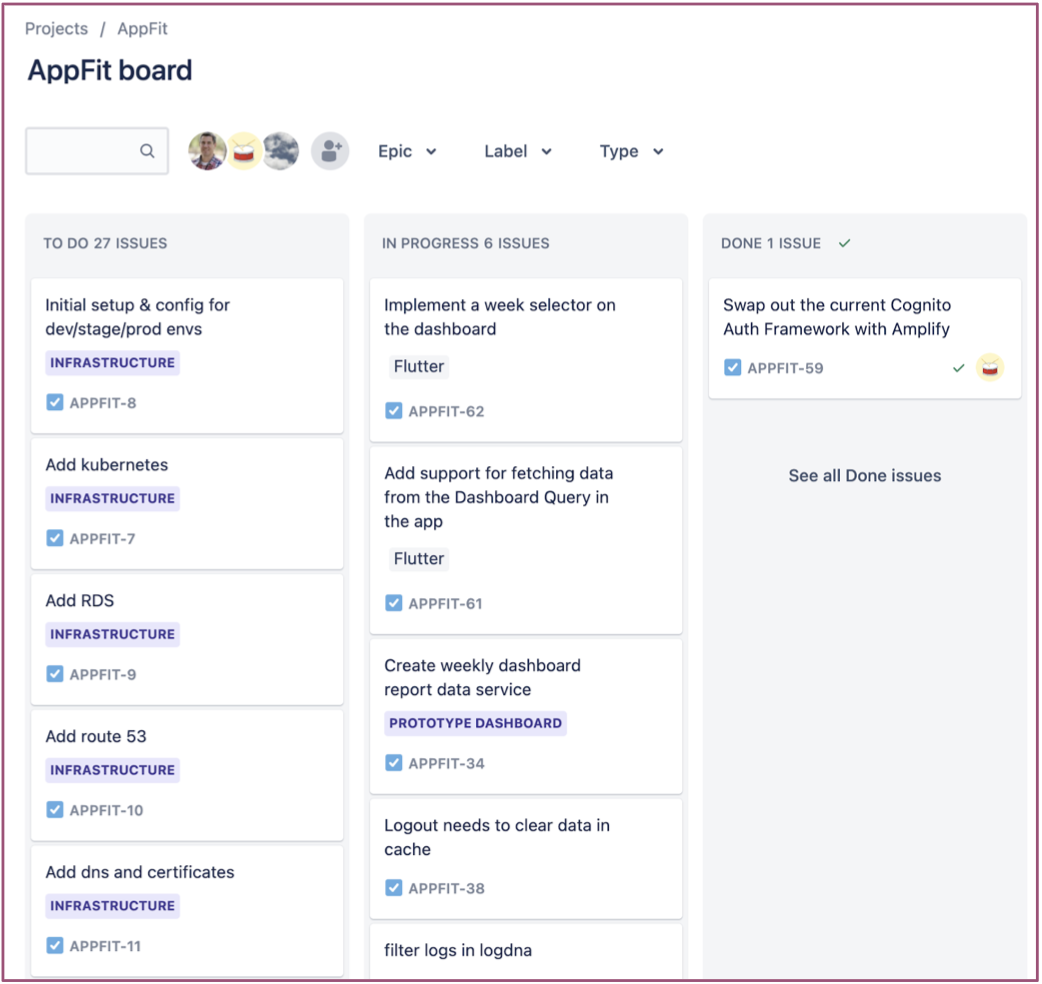
In Kanban the columns on the board represent the prioritized queue of items that need to be done by each role in the software development process. Items move across the board until complete.
We often use work in progress limits for each column to guide us around capacity issues and enforce prioritization.
The Kanban boards provide all stakeholders with a clear view into the development pipeline. Boards can be customized via grouping and filtering.
Columns
Columns in Kanban are intended to be customized to the process at hand. By default most Kanban tools provide the following columns at a minimum.
- TODO - all things that the team can work on. By default, this list will continue to grow each week.
- In Progress - all the things the team is working on
- Done - the things the team has completed.
We generally evolve these on our projects to some combination of the following colmuns.
- Selected for Dev - Every new issue starts in Needs Review. Each week, we review this list and move issues to keep it empty.
- Specs Needed - Stories that need further specification, UX, and/or UI assets.
- Ready for Dev - Issues that are ready for the developers.
- In Progress - Issues being worked on by a developer.
- QA/Acceptance - Issues delivered by development and is now with QA and/or Product for testing.
- Accepted - Issues that are accepted and ready for release.
- Released - Issues that have been deployed to users.
Note: The above columns are guidelines we use to stay in alignment with each other. But if we are on a project where we feel like a couple of these columns aren't need and are just ritual we will get rid of those columns.
Standups
The Problem
Uptech Studio has remote employees all over the US. Therefore our team is often pretty fragmented in terms of physical location. For example, I might be on-site at a client's office while another member is at a different client's office, and yet other members are at our office. This physical fragmentation makes it difficult to stay on top of what is going on across the organization on a day-to-day basis.
Normal Solution
Normally, in a startup we would have a standup every morning to kick-off the day. If you aren't familiar, a standup is a time-boxed meeting that is used in many agile methodologies to facilitate communication around individuals' daily commitments, as well as raise awareness of any challenges (a.k.a. blockers). The reason it is called a standup is because the thinking is that if everyone has to stand during the meeting it would help keep the meeting short. For further details on standups and their intent check out the Wikipedia page.
Our Solution
Given that our team is rarely in the same physical location at the same time, we have taken the principles and intent from the standup and adapted it to our situation by using a Slack #standups channel to share our commitments and blockers every morning at 10 am. To aid with making sure we have the standup right at 10am everyday, we set up a Slack reminder in the #standups channel.
Then in the #standups channel we communicate the classic standup information: What did I do yesterday?, What am I doing today?, Do I have any blockers? Specifically, we use the following template and generally prepare the mornings standup in a text buffer before pasting it into the #standups channel. The template/example below is based on the Slack message format.
_Tue July 11, 2017 - Standup_

*Yesterday*

_client_1_

• One thing I did yesterday
• Another thing I did yesterday

_client_2_

• Yet another thing I did yesterday

*Today*

_client_1_

• A thing I am going to do today
• Something else I am going to do today

_client_2_

• Another thing I am going to do today

*Blockers*

• A blocker that is currently preventing me from accomplishing something or will in the near future
When the above is pasted into Slack it looks as follows:
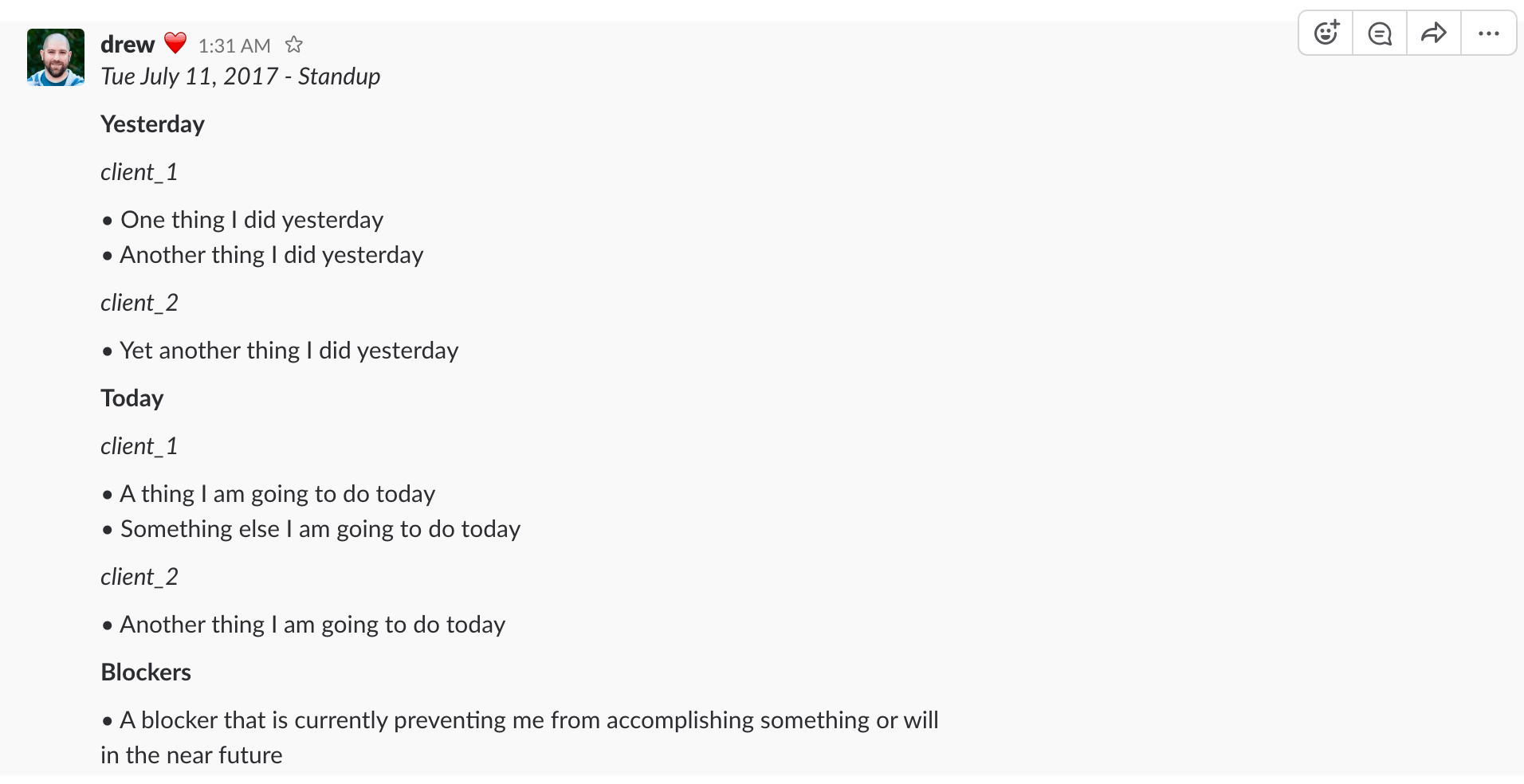
Without this virtual standup every morning we wouldn't be able to successfully run our business. It constantly triggers discussions, questions, suggestions, etc. that help keep the business on track and moving in the right directions.
Client Standups
Not only do we post our complete standup in the #standups channel to share with Uptech Studio. We also post client scoped versions of our standups in shared channels between Uptech Studio and the respective client, .e.g. #client1-uptech. This helps in a number of ways.
- it helps keeps the client updated and clued into what things are progressing
- it gives an opportunity to highlight and remind the client about blockers that they might be able to facilitate
- it helps stay in alignment with client team and any coordination efforts between Uptech Studio and them
The following is what the above UpTech Studio standup would look like scoped down to client1 and would be what we would shared in the #client1-uptech channel.
_Tue July 11, 2017 - Standup_

*Yesterday*

• One thing I did yesterday
• Another thing I did yesterday

*Today*

• A thing I am going to do today
• Something else I am going to do today

*Blockers*

• None
Tools
The following are a few tools we have created/found that help with this process. Though at the end of the day, like any tool/process it comes down to having an open minded collaborative team that understands the importance of process and communication to really get the value out of a practice like this. Tools are never a solution for culture but they can reduce friction.
Gumleaf
Gumleaf is a side project of Drew De Ponte & Anthony Castelli where the beta release is being shared with Uptech Studio to get feedback. It is a personal task management solution built around the concept of daily standups and also provides features to trivially scope standups down to specific clients as well as export standups in the Slack format.
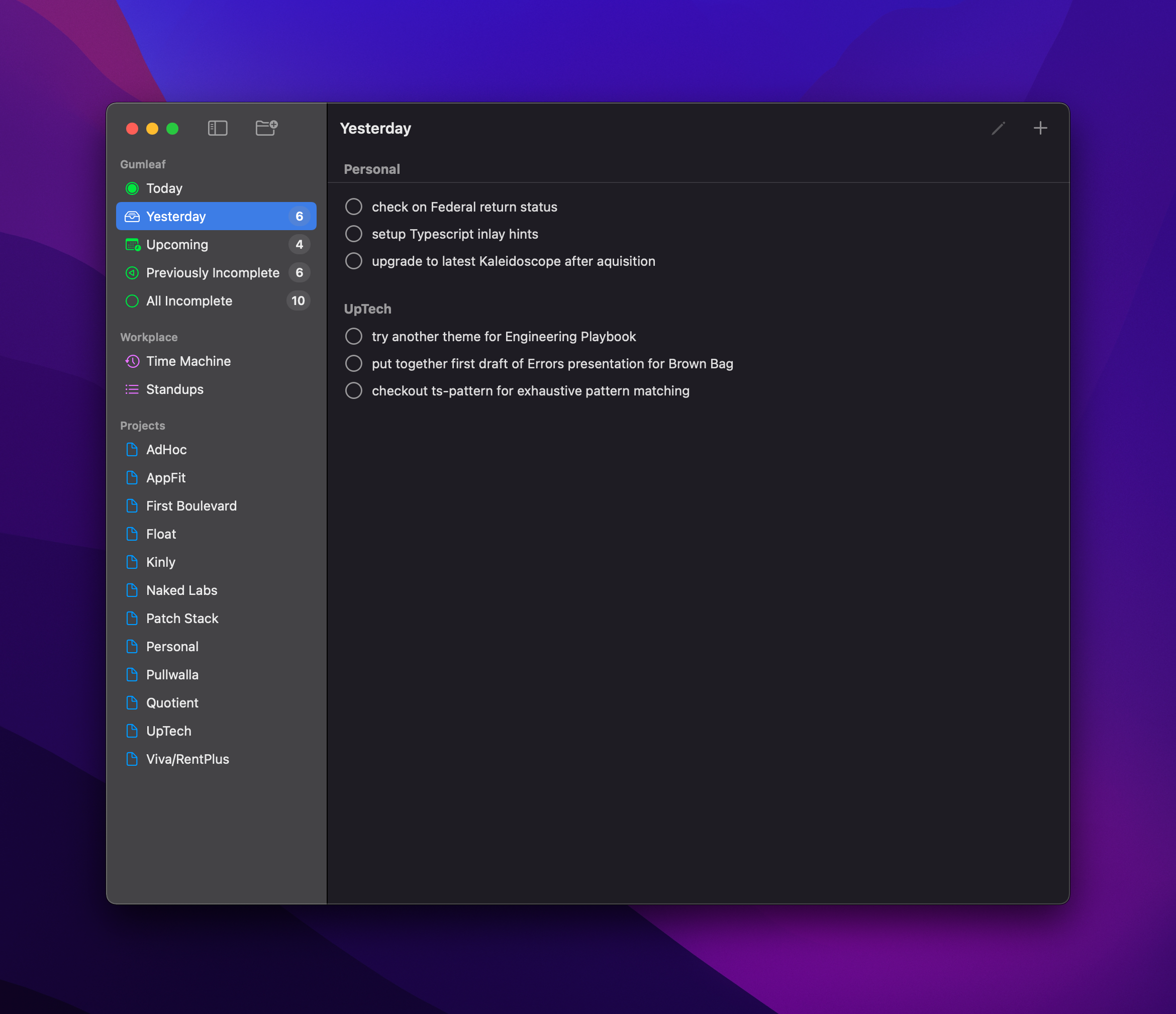
This has become a daily driver for most of Uptech Studio.
Vim/Neovim
Given that this is such a core part of our process we created the Vim Slack Format plugin to provide syntax highlighting in Vim or Neovim for the Slack message format. When using this plugin it looks as follows:
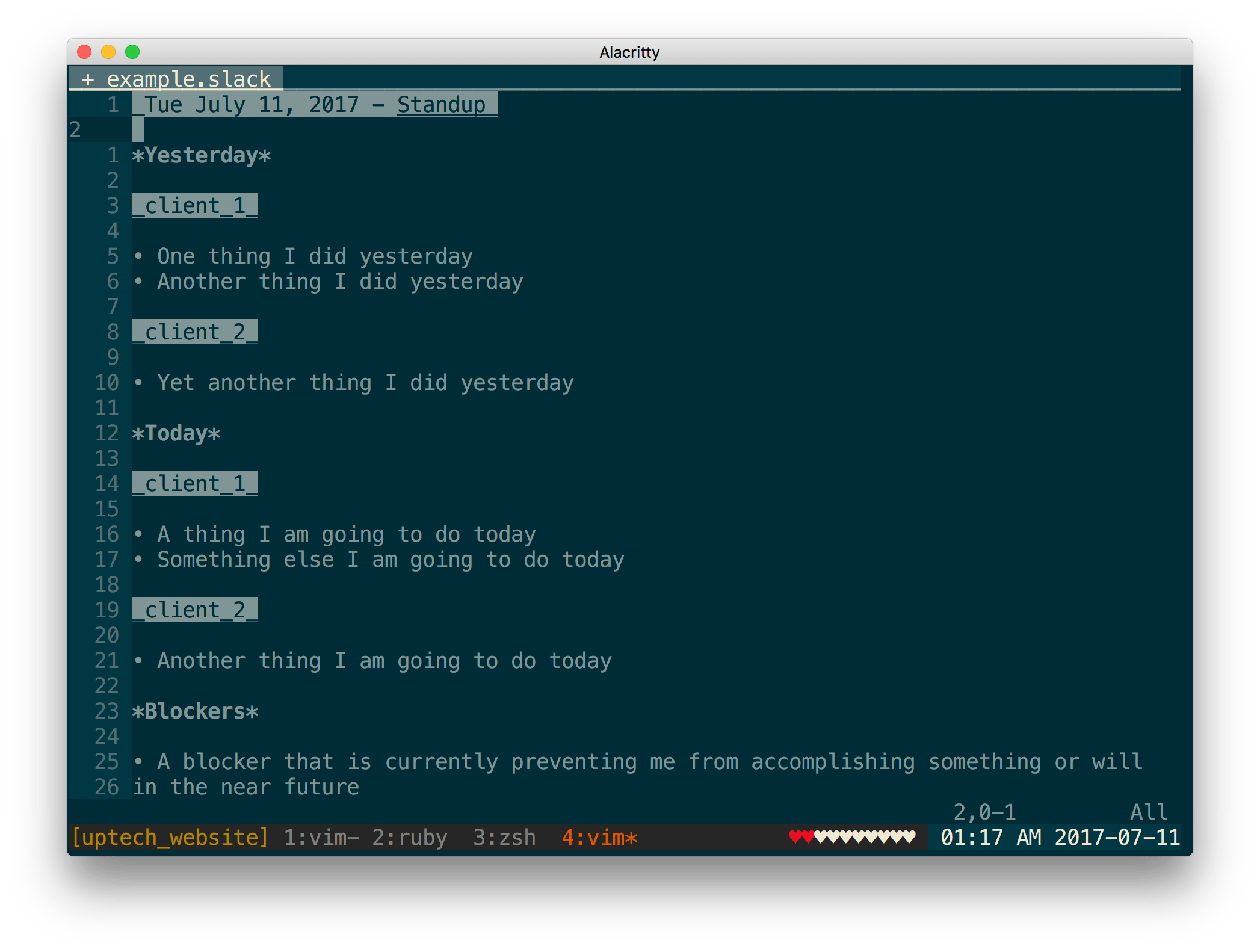
This allows you to have a standups.slack file to facilitate keeping historical track of your standups in an easily searchable format where you keep the most recent standup at the top of the file. Some people even like to keep this in a Git repository so that their history is pushed up to a remote on a regular basis.
Planning & Prioritization
Given that we don't do Scrum. We don't really do formal "sprint planning". In fact we don't actually believe in the constraint of a "sprint".
Instead we focus on "roadmap planning" and "iteration planning". The destinction is that we do plan for an iteration (roughly a week or two out). However, that planning simply funnels into the Kanban board as to what we are targeting working on. If that changes as more information comes in it isn't a problem as we are just working down through the prioritized columns. This differs from the concept of formal sprints where a sprint's tickets are usually locked in until the following sprint.
We have a weekly Planning & Prioritization meetings.
Planning
During the Planning portion of the meeting we do the following.
- quickly review the roadmap against all new information and make sure it still holds, adjusting as needed
- review all the items in Selected for Dev column and determine where on the board the tickets should go. The Selected for Dev column needs to be empty at the end of the meeting. Items can go back to the backlog if needed.
- make sure WIP limits are adhered to and we remove items from a column to make room for other higher priority tickets when the limit has been reached.
Prioritization
During the Prioritization portion of the meeting we do the following.
- review the priority of the epics making sure they still hold, adjusting as needed
- prioritize the tickets within each of the epics covering at least a few iterations worth of work out (making sure we prioritized work in the backlog if we complete all the work planned for this iteration).
Attendees
This meaning is owned & lead by Product but Engineers, QA, Design, etc. generally attend.
Demos
We generally do weekly or bi-weekly demos with the client.
We use these as clear opportunities to show progress and get feedback on the work we have done for the client. Some clients like to be in the nitty gritty and get regular builds of the apps and provide feedback along the way. Others even when we provided regular builds won't really look at them until we have a demo. We do demos irrespective of the clients behavior as it is good practice to take a step back and look at the work that has been done and how it relates to the higher level product goals.
When we do our Planning & Prioritization meeting each week we discuss our plans for what we are going to demo the next week. We are extremely careful not to let things be driven completely by the demo and become DDD (Demo Driven Development). But it is an important attribute to take into consider while planning and prioritizing work.
We generally try and avoid demos of APIs and network requests as much as possible and focus on demos of application UI as much as possible. There are of course exceptions to this. For example if the project was to build a public facing API for a service. Then it would make sense for the demo to be Paw/Postman interacting with the public API.
Retrospective
We do hold Retrospective meetings bi-weekly for the squad to review how things are going. We also collect the following information from the team.
- what went well?
- what didn't go well?
- define action items with owners as a team to improve the process
We also review cycle time and throughput trends to make sure there are no underlying issues that need to be addressed.
This meeting is owned and lead by Product.
Feedback Loop
In our minds Agile Development is really all about feedback loops. It is about listening, being aware, and gather feedback continuously throughout the process so that we adjust according to that feedback as we progress along.
Once we start the Agile Development process doesn't mean we forgo all of the other processes we did initially (e.g. Discovery & Definition, Project Planning, Design Review, Roadmaping, Milestone Planning). In fact we continue to do them iteratively. Basically maintaining the goals of them along the way as we learn things through the Agile Development process.
The way we think about it is really that we are maintaining and evolving the artifacts that came out of the initially upfront engineering process while we iterate through the Agile Development process.